

Prerequisites
- You have an organization created
- You are an organization Admin
- You know the invitee’s email address
Steps
- Sign in to Anylawyer.
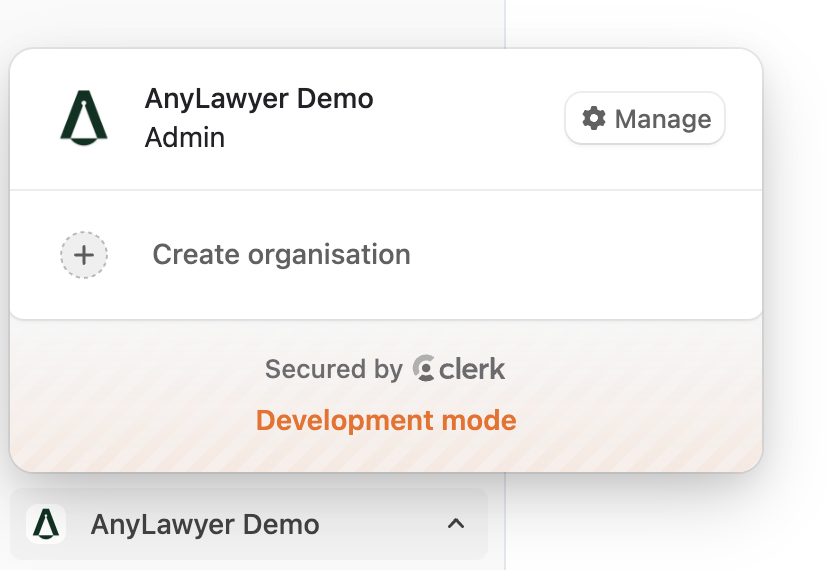
- Switch to the correct organization from the org switcher (left bottom corner) and click “Manage”.
- Go to Members → Invitations.
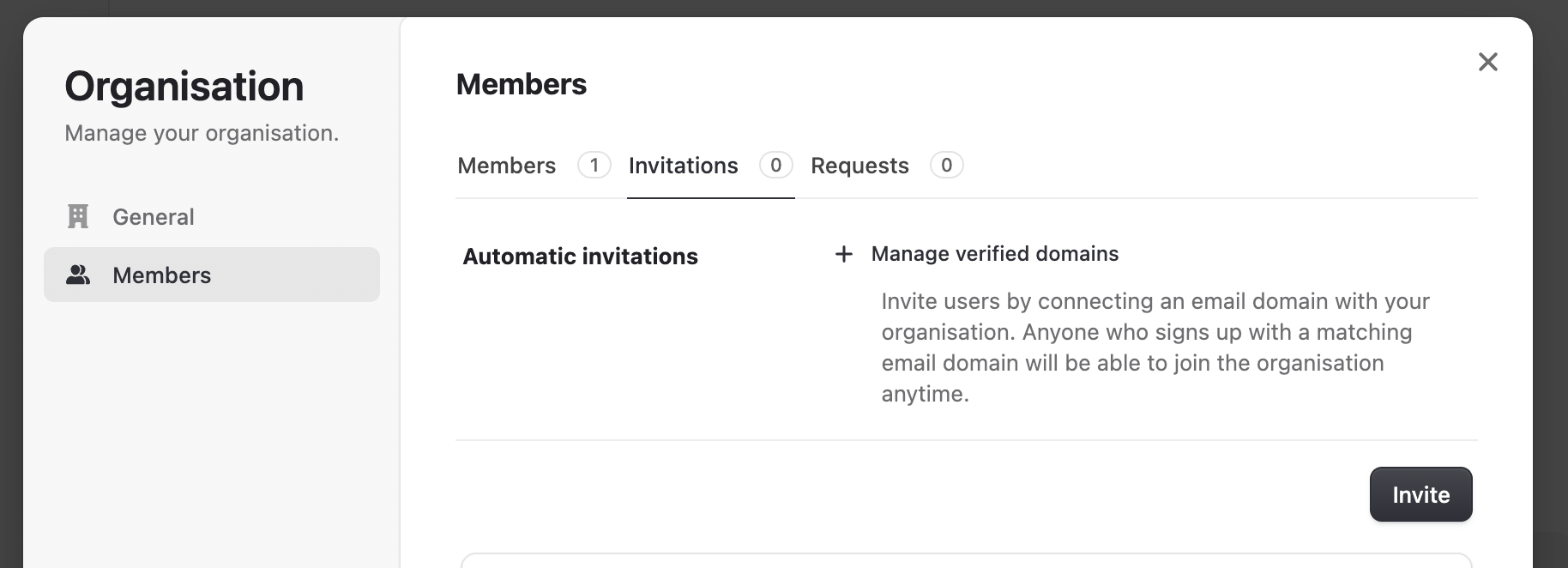
- Click “Invite” and enter the user’s email.
- Select a role:
- Member: can use all features of AnyLawyer
- Admin: manage members, billing, and settings
- Select “Send invitations”.
- The invite appears on the “Invitations” page until the user accepts via email. Once accepted, the member is added with the selected role.
Troubleshooting
- Invite not received: ask the user to check spam and corporate filters, then select Resend invite.
- Invitee already has an account: they’ll join automatically after accepting the invite email.